SOLPS-ITER user wisdom
This document contains "meta" information on installing, using and understanding SOLPS-ITER. It's the kind of stuff experienced users carry in the back of their minds.
Categories of SOLPS-ITER user wisdom:
- Where to find information - or "I have a problem, please help"
- Read the friendly manual - advice on the SOLPS manual
- Dictionary - glossary of SOLPS-ITER jargon
- Useful links - compilation of SOLPS and SOLPS-related documentation
- Jokes - jokes to lighten the heart
Where to find information
In Kateřina's experience, about half of SOLPS work is being stuck on a problem (simulation diverges, server won't launch simulations, updating SOLPS ends in error message...). Occasionally she bounces between problems, wondering which one will give first and finally allow her to do some physics. Seeking solutions is, therefore, a priority. As SOLPS documentation is fragmented, this section provides tips where to find information.
Common bugfixes
- Update to the current
developSOLPS-ITER branch, if you don't care what particular code version you're using. - Particularly when you're switching around different versions of SOLPS, make sure to start up the SOLPS environment from scratch. The
source setup.cshcommand can set up different versions of the same library, causing problems with compilation.
Decode the technical language
-
If you don't know what the words mean, try the Dictionary.
-
If you receive an error message (in the terminal or in
run.log), read the log carefully. Chances are, it says what the problem is and might even suggest a way to fix it. To search for a string of characters in a long file (such asrun.log):# Print out 5 lines above and below "chemical sputtering" grep -C 5 'chemical sputtering' run.log # Search for "error", ignoring upper/lower case grep -i 'error' run.log -
In a long simulation,
run.logis typically too long to open in a text editor. To copy the last 100 lines ofrun.log(presumably containing information of what went wrong with the simulation) into a smaller file:tail -100 run.log > short-run.log
I wish I could just Google this
SOLPS-ITER is developed by brilliant people with excellent memory who don't take career breaks to have kids. In consequence, writing a publicly available knowledge base is near the bottom of the list of SOLPS priorities. As of June 2026, when you google "SOLPS-ITER", the first result is this wiki. The second is the source code of SOLPS-ITER. (We are proud and horrified.) SOLPS lore is so well hidden, not even AI with direct access to its source codeopen_in_new can tell you what heat flux limiters are. The only semi-usable SOLPS-ITER search engines are Google Scholaropen_in_new for articles, conference proceedings and theses, and the SOLPS wiki search toolbar (upper right corner).
If you compiled all of these sources and made them fully searchable, you'd get a half-decent knowledge base:
- The SOLPS-ITER manual. There is advice on how to read it below.
- The EIRENE manualopen_in_new.
- The
$SOLPSTOP/docopen_in_new directory. - The
$SOLPSTOP/modules/B2.5/src/documentationopen_in_new directory. - Our Library, especially if you're looking for physics understanding.
- History of the SOLPS Slackopen_in_new. Lamentably, you need a paid Slack account to see the entire history. However, searching for keywords in the
solps-iter,q_and_a,beginner-adviceandgeneralchannels should be a gold mine for solutions. - The SOLPS User Forum minutesopen_in_new. Often you'll find mentions of recent updates and bugfixes relevant to your problems.
-
The SOLPS-ITER source codeopen_in_new. To view and search its content, use a high-level code editor such as Visual Studio Codeopen_in_new. This allows, for instance, searching for keywords across multiple files using
Ctrl+Shift+F.- SOLPS routine description (e.g.
b2stbc): Search for the keyword. In the best case, you'll find docstrings. In a worse case, you can inspect the Fortran code line by line to figure out what the simulation actually does. - Some DivGeo documentation:
$SOLPSTOP/modules/DivGeo/equtrn/doxygen/refman.pdf
- SOLPS routine description (e.g.
-
Useful links below.
- To find out what B2.5 switches do:
- Search them in our B2.5 switch documentation. Be sure to use the correct SOLPS version, as some switches may be recently added.
- The SOLPS GUIopen_in_new includes an
Inputtab which not only collapsesinput.datinto individual sections but also automatically displays switch descriptions upon clicking/hovering. Charming!
Ask for help
While asking for help, I'd advise to follow this hierarchy. Do not skip to the next step before you have tried the previous step. It saves time and face.
- Ask the nearest coworker, ideally but not necessarily a SOLPS-ITER user. Chances are, your problem is not strictly SOLPS-related.
- Ask your local SOLPS team (at the nearest meeting or via group mail).
- Ask an external experienced modeller. Ideally this is someone you know already, such as your tutor from long ago.
- Write to the SOLPS Slackopen_in_new group. There's a good chance Xavier will answer. The
beginner-advicechannel is specifically meant for askers who lack experience and confidence. - Ask Xavier Bonnin (mail Xavier.Bonnin@iter.org) directly.
RTFM (Read the friendly manual)
Where do I find the SOLPS manual?
The SOLPS source code includes source files for building the manual PDF using LaTEX in the folder $SOLPSTOP/doc/solps, but not the actual PDF. The PDF is usually built during code compilation as $SOLPSTOP/doc/solps/solps.pdf. If you can't find it or don't want to compile the entire code just for the manual, try
make manual
You can always find the latest version of the manual on the ITER SharePointopen_in_new: structured grids manualopen_in_new and wide grids manualopen_in_new.
The SOLPS-ITER manual is a beast of 600+ pages, containing more information than you could ever want, but not the one you actually want. Each SOLPS version has its own version of the manual, so try using the one found in your installation. Most of their contents are the same (like the section on heat flux limiting, which is twenty years old) but relevant new information may be missing from older manuals.
Even if the manual is hard to read and hard to find answers in, do not underestimate it. Try not to ask people for help before you have scoured the manual. And I do mean scoured. "I have skimmed it" does not cut it. When you reach out for help at the SOLPS-ITER Slack channelopen_in_new, always detail to which degree the manual answered your question. Even people proficient with SOLPS-ITER always have the manual open while working.
Fortran notation in the manual
When you see something like if quantity.eq.1, it means "if quantity is equal to 1". Similarly for quantity.ge.3 ("greater or equal to 3"), quantity.ne.0 ("not equal to 0") etc. The notation is not unified, there are if > 1 and similar alternative notations mixed in with this one, but those are largely intuitive.
How to properly search the manual for information
Follow the instructions in this order and don't go straight to Ctrl+F. It's tempting but very unreliable.
- Read the table of contents. The section titles are quite informative.
- Read entire sections, not just the little bit of text where your keyword is located. This will give you context and you're very likely to find extra information as your topic is revisited.
- Read the cited works. Funny story: Kateřina spent a few weeks desperately researching why there is a Pfirsch-Schlüter particle flux in the B2.5 continuity equation. Finally she wrote on the SOLPS Slackopen_in_new and she was directed to an article which explained it. Then sje found out it was cited in the manual in the section which gives the B2.5 continuity equation. Don't be her. OTL
Ctrl+Fyour keywords, for example "heat flux". However, beware that your term might be called several different things (like "energy flux"). If your keyword has more than two words ("sheath heat transmission coefficient"), chances are that you won't find it usingCtrl+F.Ctrl+Fthe manual source code ($SOLPSTOP/docs/solps/solps.tex). This can be useful for quantity names (q_{ax}). Beware, this can be extra unreliable as different names and typing styles might be used each time. Try to find some part of the variable name which is hard to change (axyinsideD_{axy}). Alternatively, searchaxyin the rendered PDF.
Dictionary
SOLPS-ITER: Scrape-Off Layer Plasma Solver, version "ITER". It's called a "tokamak edge transport code", but it's actually a veritable mountain of coupled codes (B2.5, EIRENE, DivGeo, Carre, Triang, B2plot...). Its core code, the actual transport solver B2, has been around since the 1980s. SOLPS-ITERopen_in_new, the current apex of the SOLPS line of codes, stands on the shoulders of giants such as B2-EIRENE, SOLPS4.3, and SOLPS5.0.
B2.5: A multi-fluid transport solver for the tokamak edge plasma. Built upon the Braginskii equationsopen_in_new, it can simulate both ions and fluid neutrals. Its name stands for "Braams" (its original author), "2"-dimensional, and "advanced compared to the original B2".
EIRENE: A Monte Carlo kinetic solver for neutrals. It's developed separately from the rest of SOLPS by Forschungszentrum Jülichopen_in_new in Germany, and it can be run standalone to solve only neutrals transport.
DivGeo (DG): Programme for creating and viewing geometry of SOLPS-ITER runs. Full GUI (Graphical User Interface), a little counter-intuitive but pretty friendly once you create a mesh or two.
WG: Wide grids, also known as SOLPS-ITER 3.2.x, a version of the code which allows modelling plasma up to the wall.
5-point stencil, 9-point stencil: Discretisation schemes of the B2.5 plasma solver. 9-point stencil scheme greatly improves accuracy of fluid neutral modelling. It is implemented in SOLPS-ITER branches 3.1.x (structured grids, 9-point stencil) and 3.2.x (wide grids).
The manual: The SOLPS-ITER manual. The ultimate manual, the go-to for all your questions, the 600-page beast. If a manual is referred to as "the manual", it is this manual. The manual is automatically created when you compile SOLPS-ITER; its source files are located in $SOLPSTOP/docs/solps/ and the manual itself is called solps.pdf. Each version of SOLPS-ITER has its own manual. Thus you will always find information relevant to your version in this folder.
EUROfusion Gateway (sometimes referred to as ITM, Marconi, Marconi Gateway or a combination of the above): An Italian computing cluster where you can install and use SOLPS-ITER, a of the Marconi cluster. Most SOLPS-ITER users run their simulations on their local clusters, but some continue using Gateway.
Xavier Bonnin: The Responsible Officer (RO) of SOLPS-ITER in the ITER Organisation. Diligent and meticulous.
$SOLPSTOP (SOLPS top): Name of the tcsh variable in the SOLPS work environment which contains the path to the SOLPS-ITER installation folder. The stop command is a shortcut to change directories cd $SOLPSTOP$.
SN, DN, DDN: Single null, double null, disconnected double null. Used to refer to separatrix configurations in DivGeo.
Stratum (plural strata): A source of neutral particles in EIRENE, usually a B2.5 grid boundary ("outer target", "far SOL") or a volumetric source ("recombined D atoms"). More information is given in Q&A: What is a "stratum".
Flat profiles: Default initial state of SOLPS-ITER simulations if no b2fstati file is supplied. As the name implies, the "solution" is just constant everything across the B2.5 grid. Using the flat profiles usually happens when you're making your very first simulation or by accident when b2fstati is ignored by the code. Refer to Common pitfalls: The danger of timestamps.
Coupled simulation: A SOLPS-ITER simulation which uses EIRENE to model neutrals (also called kinetic or Monte Carlo neutrals).
Standalone simulation: A SOLPS-ITER simulation which uses B2.5 to model neutrals (also called fluid neutrals or AFN, Advanced Fluid Neutrals.)
AFN: Advanced Fluid Neutrals, a new and better model for (deuterium) fluid neutrals in B2.5.
BC: Boundary conditions.
OMP: Outer midplane, a region in the tokamak plasma at the height of the magnetic axis (or the equatorial plane of the machine), around the separatrix, at the outboard side of the torus. This is where most radial transport happens in a tokamak, supplying the SOL with power.
PFR: Private flux region, a region in the tokamak plasma below the X-point, separated from the main plasma. Usually has high neutral densities, so it's a good pump location.
SOLPS-ITER User Forum: A semi-monthly video conference where Xavier introduces the newest changes to SOLPS, topical presentations are given and discussions occur. As a beginner, it's likely you won't understand much of it. The minutesopen_in_new are detailed, however, so read them carefully instead. You will know you are no longer a SOLPS beginner when you start understanding the User Forums.
SOLPS Slack: A Slack groupopen_in_new where SOLPS users gather, exchange information and get chewed out by Xavier for not consulting every piece of documentation prior to asking for help.
SOLPS-ITER work environment: Command line where SOLPS, b2plot and other SOLPS-related stuff can be run. See How to initiate the SOLPS-ITER environment.
B2plot: A primarily plotting programme shipped directly with SOLPS-ITER. It has it own section in the manual (appendix I), can plot 2D visualisations of plasma temperature, integrate along given lines of sight, or produce text files with processed code output. It has its weaknesses (like awkward axis boundaries setting), but it remains a very powerful tool. See our B2plot tutorial.
David Coster: A senior researcher working at IPP Garching. One of the most experienced SOLPS-ITER users.
Katka (Kateřina) and Honza: Postdocs working at IPP Prague, the main authors of the SOLPS wiki. They share the conviction that if they don't write it down, they will forget it.
IO: ITER Organisation.
Useful links
Source code of SOLPS-ITERopen_in_new
- The source code of SOLPS-ITER, kept at GitHub. Just downloading it is not enough to make simulations with SOLPS-ITER; first you must compile the source code (see the installation guides).
- This is the quickest way to get to the manual LaTEX source (
$SOLPSTOP/docs/solps/solps.tex). - Includes a rival wikiopen_in_new. So far, it lists a few frequently encountered issues, such as "what are SOLPS branches called again", "why can't I name my
$SOLPSTOPdirectorysolps-iter_debug" or "my SOLPS runs are huge and the IT guy's screaming at me, help".- If you wish to contribute to the rival wiki, write to mailXavier Bonnin. Give him your GitHub handle (so he can identify your account), and he'll grant you the necessary permissions.
ITER SharePointopen_in_new
-
Currently (August 2026) an ITER account is necessary for access. Xavier is working on making it fully open-source.
-
A big old pile of documentation. Highlights:
- The Manuals and Documentationopen_in_new folder (has some overlap with
$SOLPSTOP/doc) - The SOLPS-ITER Papersopen_in_new folder (has some overlap with our Library, contains some of the newest papers on SOLPS-ITER)
- The Manuals and Documentationopen_in_new folder (has some overlap with
SOLPS-ITER Materialsopen_in_new
- Collection of SOLPS documents similar to the ITER SharePoint.
- Requires a valid ITER IDM account.
SOLPS-ITER Confluence pageopen_in_new
-
The best and most active disambiguation of SOLPS documentation. Highlights:
- Release notesopen_in_new of various SOLPS versions (useful for tracking new features)
- List of currently active SOLPS branchesopen_in_new
- SOLPS User Forum minutesopen_in_new (occasionally priceless in bug hunts)
- SOLPS-ITER features wish listopen_in_new
-
Also contains a list of problems and bugs SOLPS-ITER users have encountered and documented.
EUROfusion wiki - training sectionopen_in_new
- Contains the list of SOLPS-ITER trainings that have taken place until today. Useful for writing down training output and finding e-mails for fellow trainees.
- Requires EUROfusion login credentials.
SOLPS Slackopen_in_new
- A forum created in March 2020, when the coronavirus quarantine started. Has a Q&A section where you may pose your questions and get answers within hours or days. (But make sure to do thorough research before asking here! Especially consult the manual in great detail, according to the recipe above.)
SOLPS GUI documentationopen_in_new and video tutorialsopen_in_new
- Created by Leon Kos, the SOLPS-ITER GUI (Graphical User Interface) aims to make SOLPS-ITER more user-friendly.
- Even if you do not plan to use the tool itself, the documentation provides nicely written (but often brief) guides and overviews such as SOLPS Structureopen_in_new and SOLPS-ITER installation with
easybuild-local.shopen_in_new.
- Created by Jan Hečko, this semi-detached part of the SOLPS wiki lists the switches of B2, their meaning and default values, in a human-readable way.
- Switch descriptions are taken from the official SOLPS/B2.5 documentation (
$SOLPSTOP/B2.5/src/documentation/b2input.xml). - Webpage is generated for several SOLPS-ITER versions and regularly updated. In case you want to use the webpage generator tool directly (e.g. to generate it from your version of SOLPS-ITER), clone the SOLPS wiki repo and refer to instructions in
SOLPS-Wiki/extras/b2input/README.md.
ADAS manualopen_in_new
- ADAS (Atomic Data and Analysis Structure) is the library which SOLPS-ITER uses for plasma-neutral interactions.
SOLPS-ITER DeepWikiopen_in_new
- Another rival project, generated by AI. It isn't known if it contains any useful information, but it exists.
Jokes
An English proverb says: "If you can't beat them, join them."
The Czechs, a small Slavic nation in Central Europe, have a different national wisdom: "If you can't beat them, make fun of them."
In the Czech spirit, this section of SOLPS-ITER user wisdom is devoted to collecting jokes.
No useful physics ahead
This is the only part of the SOLPS Wiki which does not take itself seriously at all. Everyone taps into the pit of existential despair on occasion. It's no use pretending it isn't there.
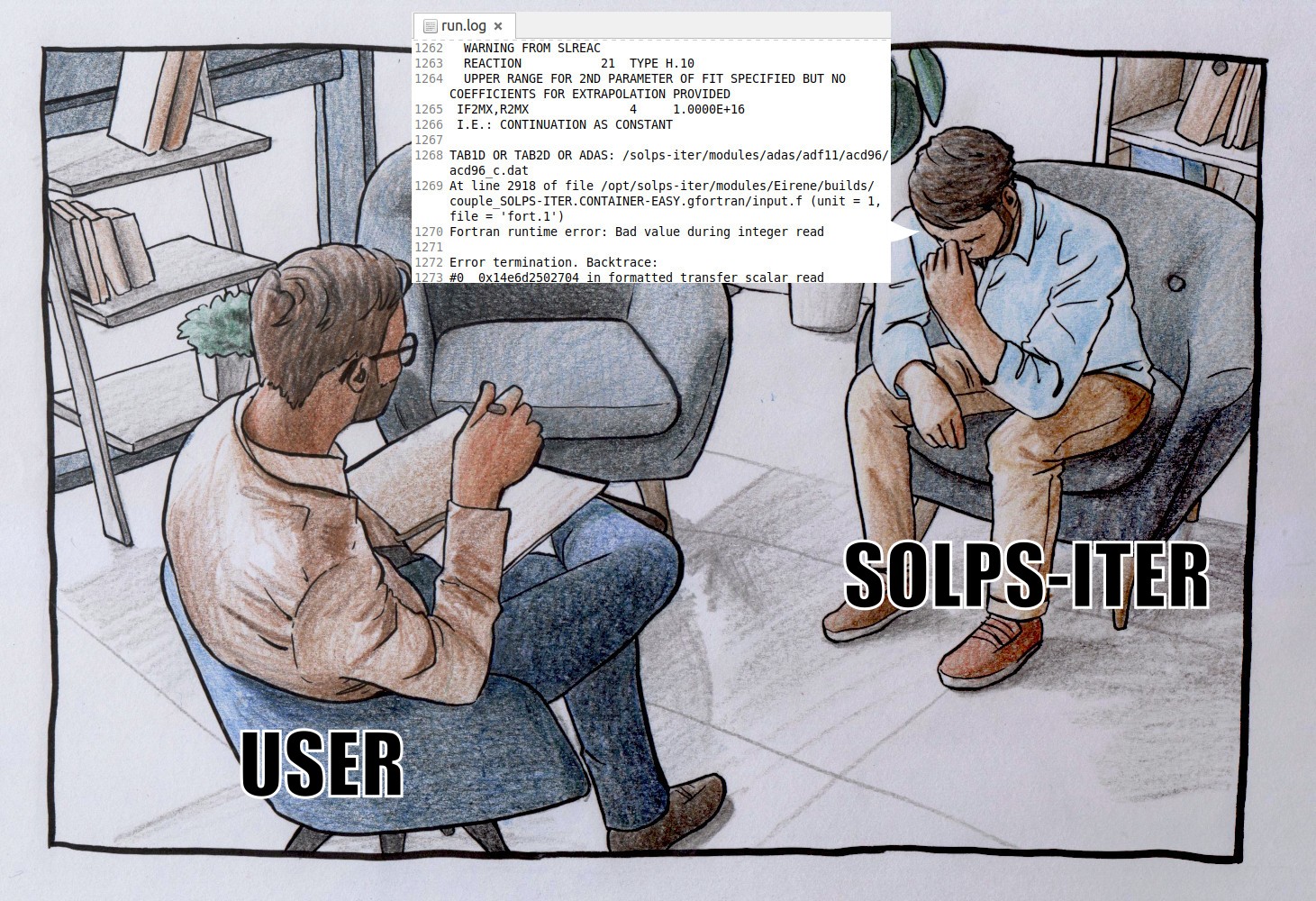
Author: Kateřina Hromasová, based on a photo.

Author: Jan Hečko, generated with AI.
Author: Kateřina Hromasová, made with meme templates.
Author: Kateřina Hromasová, made with meme templates.
Author: Kateřina Hromasová, made with meme templates.
Author: Kateřina Hromasová, drawing found online and upscaled with AI.
Author: Kateřina Hromasová and Jan Hečko, made with meme templates.
Author: Daniel Švorc, generated with AI.

Author: Kateřina Hromasová, based on a photo.
Why is the SOLPS wiki logo a supra-luminal unicorn?
-
Comprehensive SOLPS-ITER documentation is as rare as unicorns.
-
SOLPS-ITER is the workhorse of tokamak edge modelling. [1] [2] [3] [4] [5] [6] [7] [8] [9] [10] [11] [12]
-
Rainbows are cool.
-
And finally, everyone's favourite error message since SOLPS-ITER 3.0.9open_in_new...
*** XERRAB: program will stop. ***
Supra-luminal velocities !
Call chain follows.
Hot tip
SOLPS-ITER has an international user community, so you can use foreign curses to relieve frustration.
Finnish: "Perkele!" (Evil spirit!)
Hungarian: "Bassz meg!" (Fuck me!)
Czech: "Do prdele!" (In the ass!)
TODO construction: Add your own favourite curse!
What do you say when someone announces they've started working with SOLPS? "Deepest condolences!"
What do you say to an ITER researcher who doesn't know when to stop talking? "Shut up or I'll re-baseline you!"
What does Katka say when you point out grave mistakes in the SOLPS wiki? "There ain't no rest for the wiki..."
To have a laugh, we suggest browsing the
gatewaychannel of the SOLPS Slackopen_in_new.